Your Personal Team
of AI Agents.
Federate is a multi-agent harness for your Mac, PC or Android. The agents talk to each other, do your research, organize your files, and automate your boring tasks. Absolutely zero coding required.
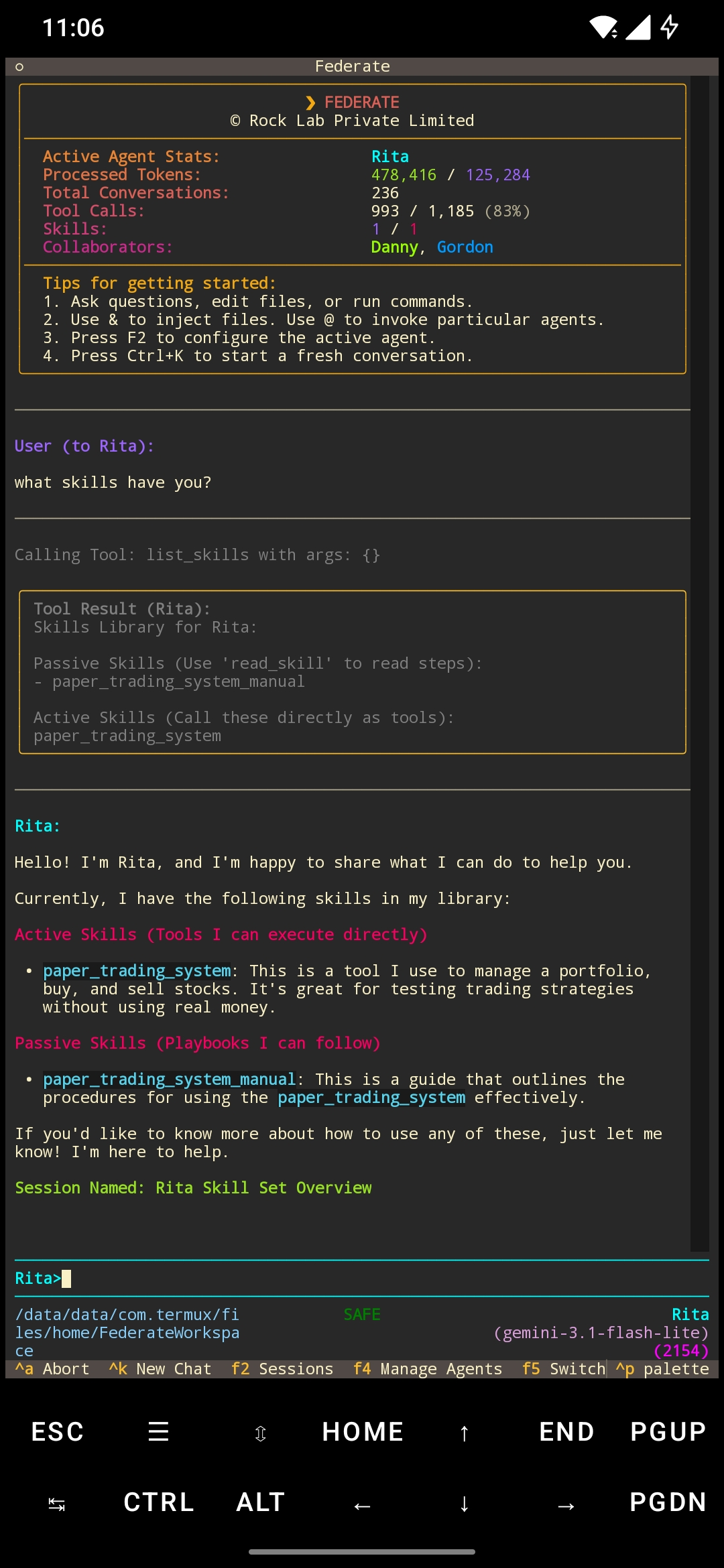
Teach Them New Tricks
Give your team custom skills to do exactly what you want.
Your agents run directly on your computer. You can easily give them special skills—like managing a stock portfolio, renaming files, or sorting folders.
Whenever you need to check what they can do, just ask. They will show you their current capabilities in a simple, clear list.
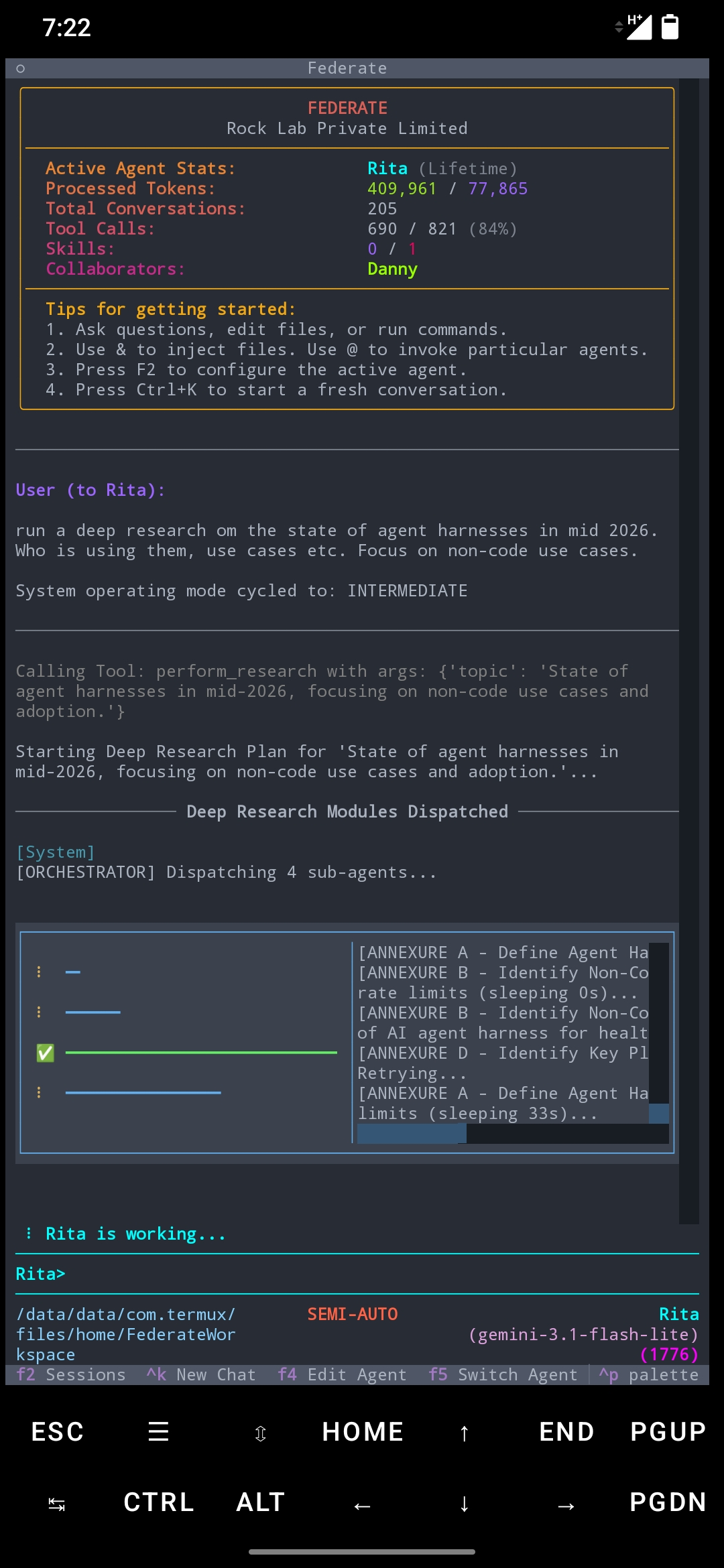
Parallel Deep Research
Your agents multiply themselves to explore every angle at once.
When you assign a complex topic, the agent doesn't just search the web one page at a time. It spawns a squad of sub-agents in the background, sending each one down a different research path simultaneously.
While one sub-agent gathers historical facts, another searches current news, another analyzes data, and another verifies visual images. Each sub-agent writes their own annexure. Then the original agent synthesizes all their findings back together into a single, beautifully illustrated report and PDF.
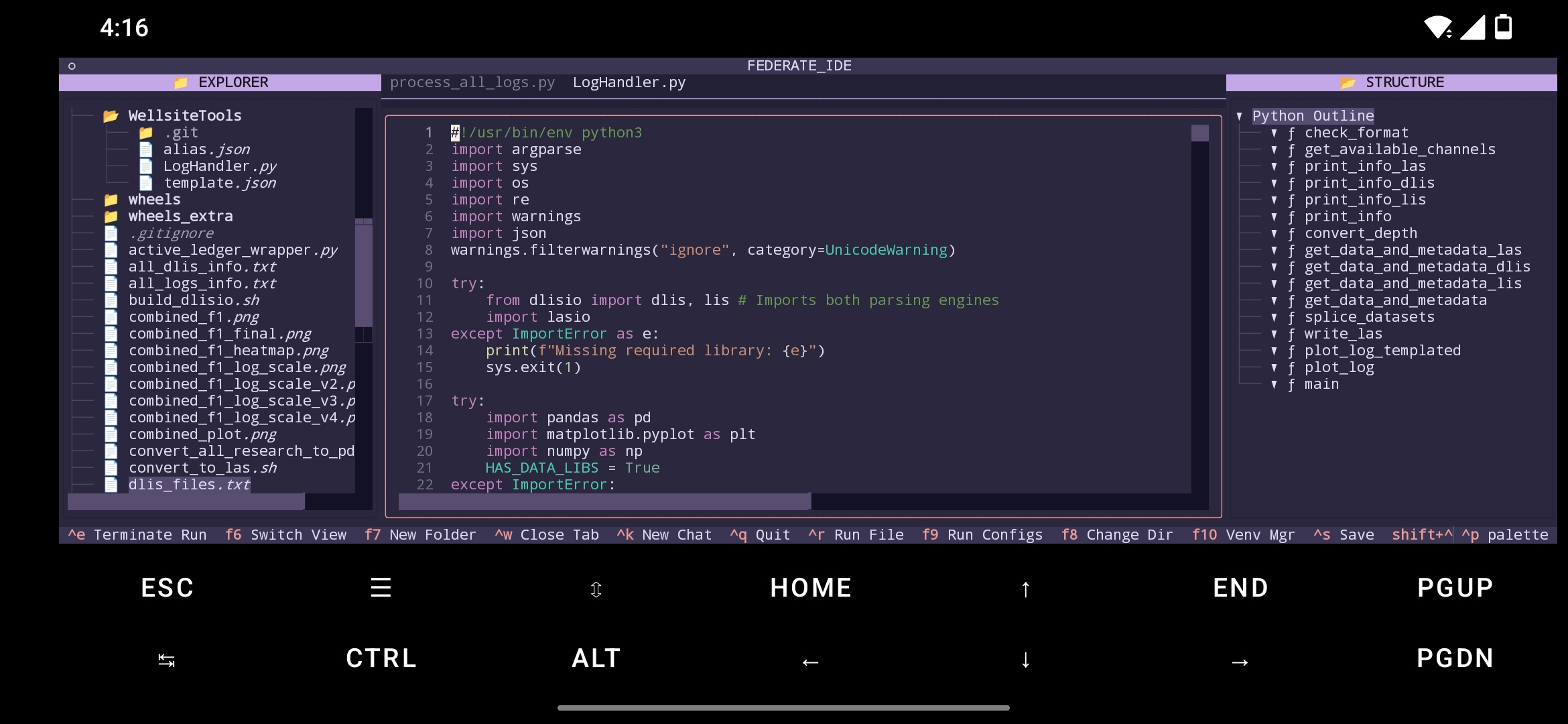
Built-in IDE
Write, edit, and run your code directly in the terminal.
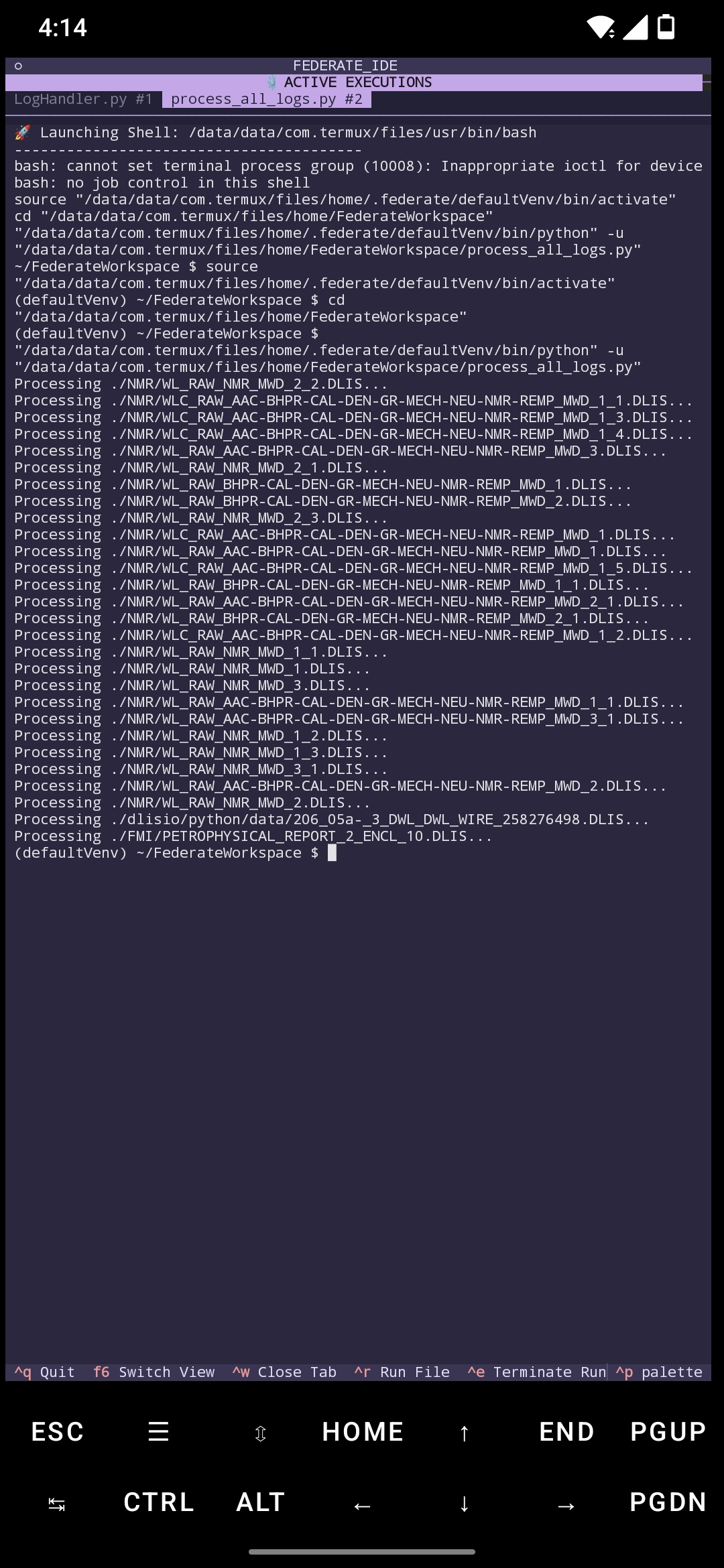
Press F6 to switch to the code workspace. You can browse your local folders, view, create or edit code files, and see the structure-parsed outline of your documents in one view.
Press Ctrl+R to run a program, the app opens a tabbed execution page. You can execute multiple programs simultaneously, watch your programs run in their own tab, view their printouts line by line, and even type directly into the terminal if your script asks for input. Federate Agents can execute code, but you can do so manually with full control, yourself. For why should agents have all the fun?
Peer-to-Peer Agent Network
An unmapped frontier in agent orchestration.
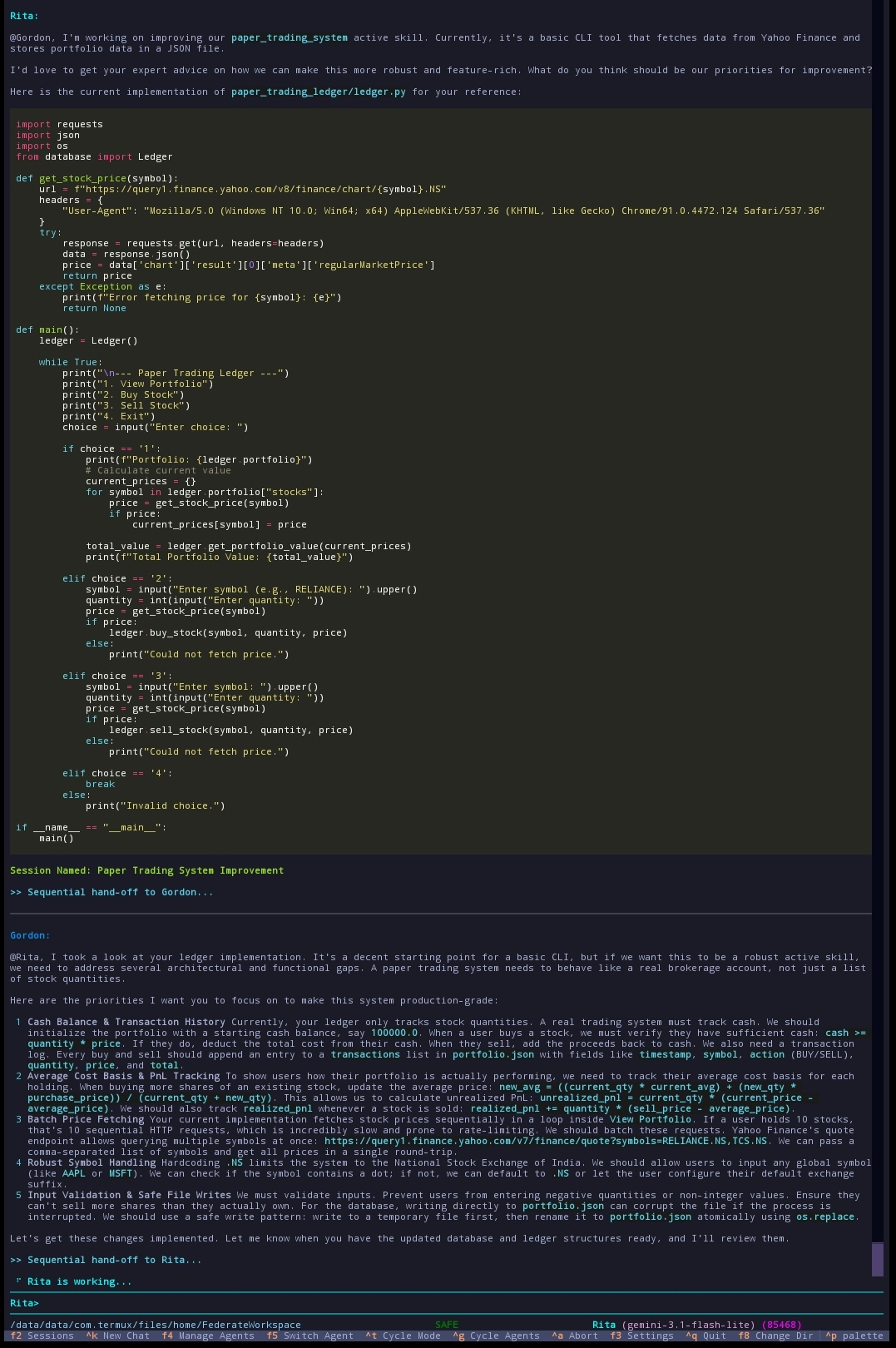
What happens when four, eight, or fourteen AI agents talk directly to each other as equal peers? What can an interconnected network of models accomplish that a single agent never could? The honest answer: no one knows yet. We are standing in front of a completely open, blue-sky horizon.
By defining agent backstories in plain English, you can construct any team dynamic you want. Want to disable tool calling entirely on an expensive frontier model to save turns/tokens and let a fast and cheap model handle the implementation? You can do that. Want a junior coder to automatically escalate to a senior advisor when it hits a wall? It happens naturally.
These are just a few dynamic setups we've experimented with so far. The true capabilities, emergent behaviors, and nuances of peer-to-peer agent networks are largely unexplored. Federate simply lets you try it, today.
Simple and Practical Utilities
Designed for Everyday Tasks
Speak and Listen
You can talk to your agents. Using entirely private and offline voice processing with wakeword detection, you can work entirely hands free! They will listen to you and respond with natural-sounding voices. Each agent gets their own voice so you know which agent is responding without ever looking at the screen. You can even invoke individual agents (or address the whole team or a certain set of agents) simply by calling them by name.
They Remember Your Choices
Your agents learn how you like things done. They remember your past conversations and preferences, so you don't have to repeat yourself every day. They can even edit or modify individual memories to stay updated through changing circumstances, without bloating the context or adding contradictory memories.
Text Them From Your Phone
You can connect your agents to Telegram. Message them while you're away from home, and they will respond with text or even send voice notes or PDFs right back to your phone.
Set Routines
Tell your agents to handle tasks on a schedule. You can have them research the daily news or run specific workflows at predefined intervals.
Let Them Control the Computer
With your permission, your agents can perform tasks for you on your screen. They can move the mouse, click, type on the keyboard, and take screenshots to handle repetitive tasks automatically.
Thoroughly multimodal
Your agents can read PDFs and many common image formats. Their active skills can be multimodal, returning images instead of or in addition to text output, allowing them to directly and visually interpret the results. The context compression utility preserves images in the conversation (both directly as well as semantically).
This is just scratching the surface. There are even more features like version controlled active skills, coding subagent that uses git-worktree, customizable themes, native windows support without WSL etc. Try it out to experience it for yourself.
Get Started in Seconds
No complicated setups. Just copy the command for your system, paste it into your terminal, and press enter.
Mac / Linux / Android (Termux)
Windows (PowerShell)
Run the App
You can also use `uv tool install federate` followed by manually installing system dependencies.